
Difference between revisions of "HowTo:Make a Document editable on Mobile Client"
| Line 13: | Line 13: | ||
[[Category:Publishing]] | [[Category:Publishing]] | ||
[[Category:Document]] | [[Category:Document]] | ||
| + | [[Category:Client]] | ||
[[Category:How-To]] | [[Category:How-To]] | ||
Revision as of 16:04, 2 February 2015
A MetaProperty must be made editable,not only to get them displayed on the client but also be able to edit.
- Create a new a Document MetaClass derived from the System MetaClass FILEDOCUMENT
- Create a MetaProperty of type Boolean with the name EDIT_FILE_ALLOWED
- Navigate to the MetaClass SYSCLS EDITABLEDOCUMENT in the Class Browser
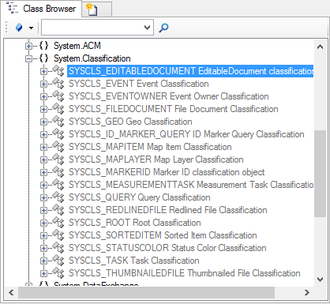
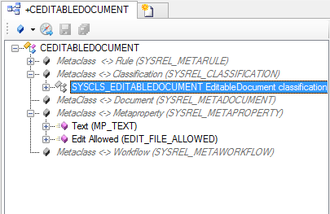
- Open a RelationEditor for the created Document class, put the SYSCLS_EDITABLEDOCUMENT via dragging and dropping in the Relation Editor and navigate to the Classification
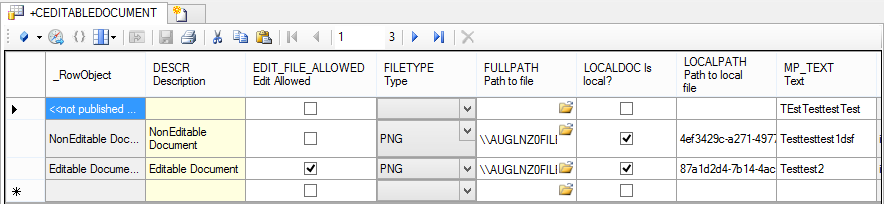
- Now all Instances of the created MetaClass can be set either editable or not by checking EDIT_FILE_ALLOWED.
- To make the document available, see the instructions on creating and editing Views.


